Campanion Parent App

Download the “Campanion” app today to set up your account and start getting updates from Camp Greenville, right to your phone!
The Campanion app is a dedicated mobile platform built by CampMinder and designed to connect parents with their children's summer camp experience. Check out the unique features of the app below!
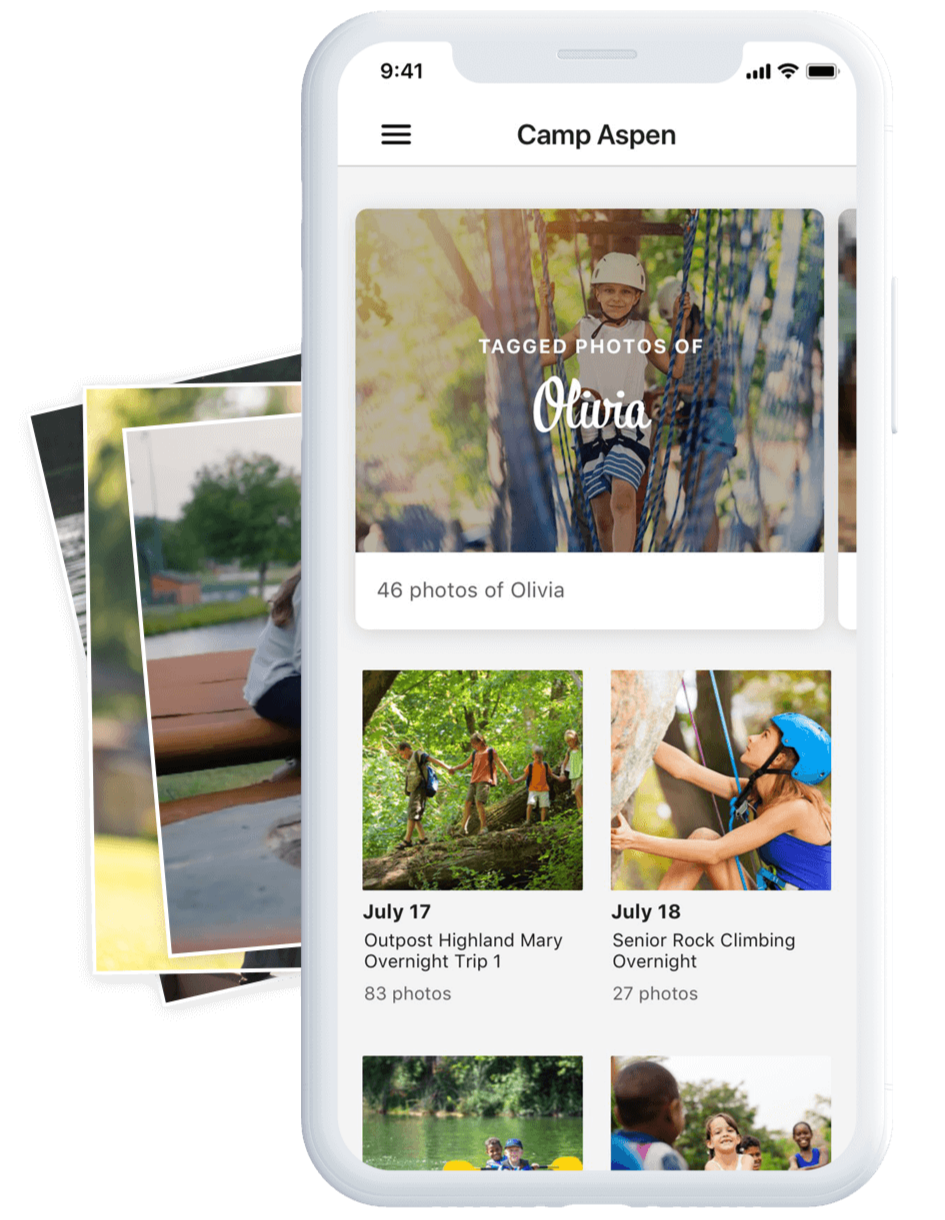
Photo Gallery
View pictures (posted daily by each evening during your camper’s stay at camp) on our private and secure photo gallery. Members of the YMCA Camp Greenville community who have a camper attending a particular session can view, share, and download unlimited photos from that session in high resolution at no cost!
Facial Recognition
Our system can recognize your camper, automatically tag them, and then alert you when photos of your camper have been uploaded! Simply upload a photo of your camper (called a “reference photo” or “training photo” in the system) and our app will search through all available photos to allocate your specific camper. No need to spend time swiping & searching through each gallery!
NOTE: Campers who participate in an Adventure trip will NOT have photos posted in the Campanion app while they are away on their adventure trips, as they will not have a dedicated camp photographer accompanying their group on their off-site trips. Photos of Adventure campers WILL be posted while the group is on camp property before and after their trip.

Letters
Composing letters within the Campanion app allows parents to send their campers the gift of a printed, hand-delivered letter while their camper is away, all through their mobile device!
Letters are printed and delivered Monday through Friday at lunchtime, along with regular mail. You must send your Letter before 10am for it to be delivered at lunchtime. Letters received after 10am will be delivered the next day at lunchtime. Parents can send unlimited letters to their camper at no cost through the app!
Stream
Check out the latest from Camp Greenville! Your Stream lets you catch up with the what’s going on at camp in the lead up to and during your camper’s week at camp! Check out compilation videos, updates, and more fun!
To get started, download the Campanion App via one of the following methods:
Apple App Store (iOS)
Google Play Store (Android)
Use your Parent Portal email address and password to log in
Upload a photo of your child (referred to as a "training photo" in the app), which enables the app to allocate and send you photos of your camper over the summer
Ensure you have push notifications enabled within your phone settings so you can receive important updates from camp all year long
Explore all the app has to offer!
Any questions or troubleshooting help can be directed to camper_services@ymcagreenville.org. We can’t wait to share the magic of camp with you through the Campanion app!